

Orders in the eCommerce cycle hold great importance as they pave the way forward for the consecutive steps. It all starts with the customer seeing the product on the sales channel and clicking on the "make an order" button to have that item reach their doorstep. These orders are made on the sales channel, but their entry is done in the ERP for efficient management. Hence, those sellers who integrate NetSuite ERP with their sales channel must have knowledge of the order cycle and the different types of orders in NetSuite ERP. Let us delve into this world of NetSuite orders:
NetSuite Sales Order: Commitment to Sell
The basis of all order types is the sales order, and the rest are its subtypes that emerge from it at the later stages of the order fulfillment. Sales order, as what NetSuite Answers says, " it is a record of the transaction that commits to sell an item or any service to the customers." So when the customer makes an order, it is recorded in NetSuite ERP first as the sales order. It gives a sort of confirmation to the customers that the seller has committed to selling them the product.
Why should You Create a Sales Order in NetSuite?
Creating sales orders is important as it’s not only the first step in the order fulfillment, but also has some benefits.
Which Product has to be in the Inventory?
The seller makes a commitment to deliver the product to the customer once they place an order. Hence, a sales order gives a clear idea to the sellers of what items and products are required to be stored in the warehouse as inventory. This is also helpful in understanding which product is getting more sales, so they can make a strategy accordingly.
To Get the Shipping Status
The sales order has all the details and information on the shipping status of the items. They get to know which products are shipped & billed, and which ones are not shipped and yet to be billed.
How to Create a Sales Order in NetSuite?
Generating the sales order in NetSuite is quite easy, and here are a couple of methods to create them. Let us see both one by one along with their utilities. The first one is when the organization has already prepared a list of estimated list of potential customers. This is quite easy, as the sellers just have to choose the estimate which has to be converted to a sales order.
Navigate to the existing estimates by following these steps:
1. Go to Transactions
2. Now, Click on Sales
3. Here, select Create estimates
4. Select Lists
This method is helpful as it saves time because all the information about the potential customer is already filled in the database. The concerned employee just has to click on the particular estimate from the list and convert it into a sales order. Another method is a little time-consuming as all the information first has to be updated, and the sales order has to be created. Here are the steps to do the same.
1. First, go to Transactions
2. Then head over to Sales
3. And then, enter Sales Orders by putting all the information
Here, the concerned employee has to put all the relevant information, and then the sales order is created.
Types of Sales Orders
Now that we have seen how to create the sales order, let us take a glance at the types of sales orders in NetSuite.
Standard Sales Order for Basic Information
It is the basis of all sales orders as it has useful information about both the order and the customer. This is created as soon as the customer places an order on the eCommerce store. It is created to keep a record of the orders for administrative purposes and to create other types of sales orders after the customer pays for the order.
A standard sales order displays some basic information like the following:
- Customer Details
- Date of Order Transaction i.e; when the order is placed
- Status of the sales order
- Items to be sold and delivered
The standard sales order does not hold any information regarding the payment made by the customer. When the order is placed and the billing is completed by the consumer, NetSuite further creates two more types of sales orders that are called Cash Sales and Invoice.
Cash Sale when Payment Method is Entered
A cash sale is generated when the customer has completed the payment for the order, and then the payment method is entered in NetSuite. It is created only when the payment of the order is received at the point of sale or delivery. There is no need to create an invoice separately when the cash sale is created.
Invoice for Delayed Payment
If the order payment is not done and it is delayed, then an invoice is generated in such a case. It can also be created automatically as it does not require creating a sales order for generating an invoice. Though invoice does not offer the immediate cash flow, eCommerce sellers can increase customer satisfaction by allowing the customers to pay later which helps the sellers retain them for a long time.
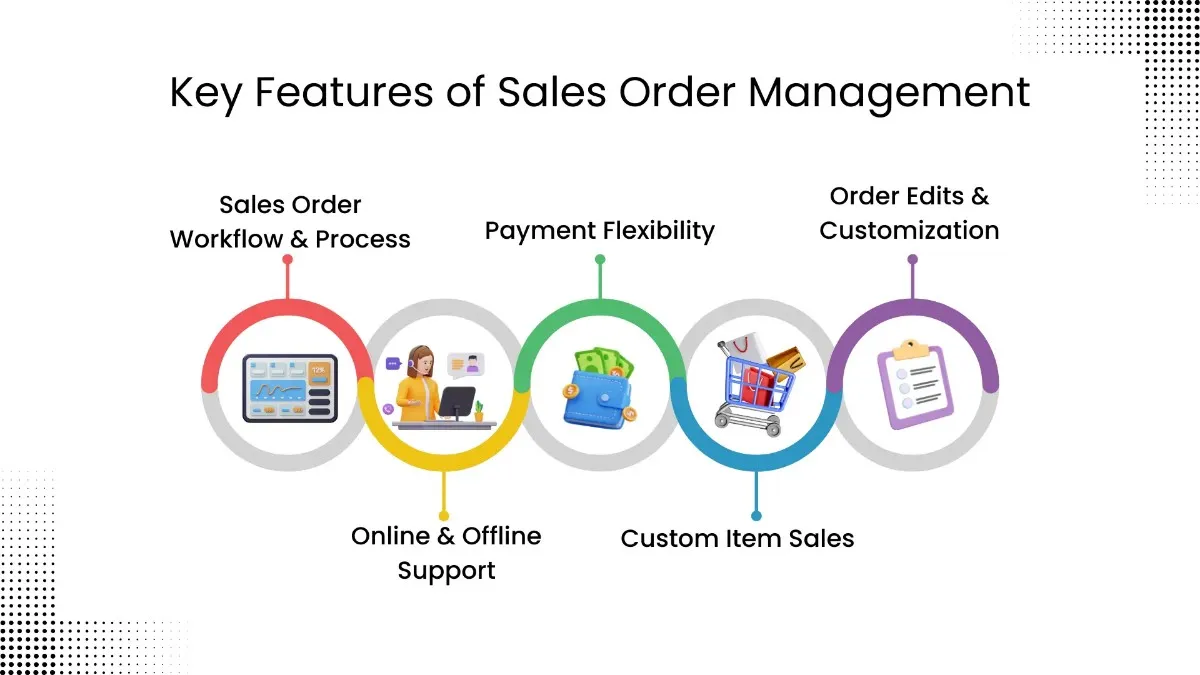
Utilize Automation for NetSuite Sales Order Management
The future of eCommerce business is in automation for fast order processing and fulfillment. Though NetSuite sales order management is a great platform to manage orders efficiently, as it keeps a record of the orders distinctly. However, the sellers can multiply the functionality of NetSuite ERP by utilizing the strength of automation. For example, the Shopify sellers can leverage the Shopify NetSuite integration to its full potential using the Robust NetSuite Integrator by WebBee.
Are you ready to automate fulfillment of your sales orders? Contact Us to know more about Robust NetSuite Integrator and speed up your fulfillment processes.
.svg)