

The D2C Growth Playbook: Why Buy with Prime Is a Must-Have in 2026
WB
WebBee Team
eCommerce Specialists
Modern online buyers not only come for love, but they want free and quick delivery, a smooth checkout experience, and simple returns from their preferred brands & online merchants. You might be asking yourself, “Why should Amazon wish to assist you convert Prime members on your own website? Why don't they want to be stuck on your site?” The e-commerce sector continues to scale and set the benchmark for future retail. Amazon understands its usefulness in supporting merchants to identify more about their users, so that they can easily add Prime in their current site. With this, they are helping the e-commerce sector to grow & your business too, while being the most committed user-obsessed organization in the world. In this blog, we will explore how businesses can enhance their fulfillment abilities and user experience with Buy with Prime in 2026.
For brands who want to convert Prime members into users, Buy with Prime provides a simple approach to give high-quality delivery & checkout experience that will be loved by thousands of shoppers. This functionality enables Prime members to buy a large variety of products outside websites, utilizing their saved details & enjoying prime perks like free delivery & returns. As in the past, shoppers who are utilizing Buy with Prime can instantly buy a single time with every order, but now they enjoy several more options.
Buy with Prime gives merchants the choice to provide 24 by 7 post-order user support through Amazon with zero cost, involving real-time chat functionality. Shoppers who are using it can ask questions related to delivery & shipping of the product they have ordered. This will give more time to merchants to focus on how they can grow their business.
Read more about becoming a seller on Amazon here.
In today's environment, 70% of users agree that brands & retailers should offer the same services to Amazon Prime. And due to convenience & high-quality service it provides has shown to be unparalleled, users are already adopting Buy with Prime. For sellers, who are following this strategy are going to grab big opportunities.
Buy with Prime helps to win new users, as on average 3 out of each 4 orders are from new shoppers.
Merchants understand that a 25% boost in shopper conversion is due to Buy with prime.
Amazon states that the offering has improved shopper conversion rate, due to its easy checkout, & free and fast shipping.
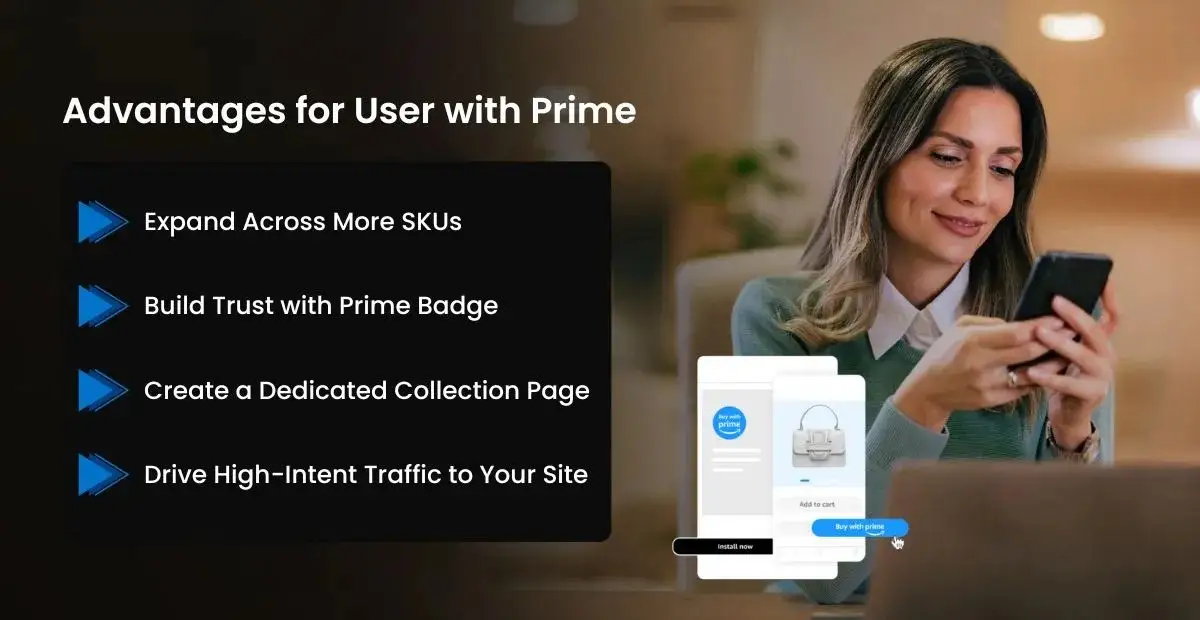
Now, you will be at least interested in executing Buy with Prime on your website. Let’s explore the advantages that it provides as you are testing it on your own site.
With Buy with Prime, you don’t have to worry about handling various inventory locations. If you are facing issues while using FBA for Seller Central and handling a multiple location, be it 3PL or your own warehouse, with this you can track one location despite multiple.
If you already have a Seller account, configuring Buy with Prime is as easy as it gets. So, you just need to install it on your site, and you can use the same inventory to ship orders on your D2C site.
With Buy with Prime, D2C brands can fasten your selling, boosting your IPI (Inventory Performance Index) offering you more space to ship more orders down the line. This will also help to enhance FBA inventory position and IPI score.
For brands who want to launch new products and find it difficult to get more users for conversion, Buy with Prime can be used as an effective tool.
Let’s see how you can successfully launch Buy with Prime on your website.
Diversification is core to shopper happiness. Open up a wider choice of your products to Prime members by adding extra variations, SKUs, & high-performing items to your Buy with Prime classification.
Attract shopper interest in your items with the loyalty of Prime, utilizing the given marketing toolkit to showcase Buy with prime badge at different marketing channels.
Display your Buy with Prime products on one dedicated page to make it easy for users to get eligible items & support Prime members to explore other products on your e-commerce website.
Elevate your growth by utilizing marketing solutions made to assist Buy with Prime merchants to attract Amazon Shoppers & drive them to the Buy with Prime products on your website.

Shopify Brands who also utilize Amazon’s fulfillment network get the option to add Buy with Prime app from Shopify app environment directly into Shopify checkout. This allows Shopify sellers to sell their products to Prime members who are on Shopify for the first time, while managing their user data within Shopify admin.
You can handle your Buy with Prime business more effectively with the Buy with Prime app for Shopify, involving a seamless integration that enables you to manage order, products, returns, & more. With WebBee you can configure your Amazon Shopify integration in simple steps- look out how.
Exceptional user experiences should not be restricted only to premium brands with high market share. Also Prime perks should not be limited to Amazon. With Buy with Prime in 2026, Prime shoppers can use their preferred online shopping advantages across the site. This extensive availability has a high impact on user experience in the long term, as it raised the standard when it comes to efficiency, usability, &free & quick shipping.

.svg)