

How Beginners Can Sell and Fulfill Orders on WooCommerce 2026
WB
WebBee Team
eCommerce Specialists
WooCommerce is the ideal platform for new sellers to start their online business. It allows sellers to create their own online store. The fact that it charges no fee to create a basic store makes it an even more attractive option for starting an eCommerce business. The massive library allows beginners to add features, themes, or plugins without coding. Given the fact that the store is such a great fit for beginners, sellers just need to understand WooCommerce order fulfillment, and this blog is exactly solve all your queries. Let’s get started!
Sellers can start their eCommerce journey on WooCommerce at an astonishingly low investment, just by using a free plugin on WordPress, an open-source component for site building. Following careful choices can make it easy for the owners to cut their initial development costs and start their business efficiently:
Sellers need to make a smart and cost-effective choice of platforms. The WooCommerce plugin itself is completely free of cost to download and use. Apart from this, content management on WordPress is also free. While choosing the hosting providers, sellers can opt for a budget-friendly shared hosting plan.
WooCommerce offers sellers a variety of website themes. Some of them, with designs and basic functionalities, can even be availed for free. Also, the necessary features like product listings, basic payments, and inventory management are complementary to core plugins. Apart from this, free extensions can be used for essential features like SEO and security.
You will be good to go!
WooCommerce fulfillment refers to the process through which sellers deliver the orders placed on their store. It is a very detailed process that involves:
There are certain challenges that the seller has to address while fulfilling their WooCommerce orders, especially as a beginner. Following a brief overview of the same:
Keeping track of the stock is the hardest part of fulfillment. Seldom do sellers miss out on the numbers when they are tracking the units manually. This leads to overselling and dead inventory, both of which lead to a loss in the business.
To ensure the timely delivery of products, sellers need to make the perfect choice for their e-commerce shipping partners. Their needs and business goals have to be clearly defined so that the carrier services can be matched. The high cost of fulfillment comes as another layer of hardship for the seller.
When a seller is involved in both selling and order processing, delays are a common affair. Also, errors in this case are frequent, making the delivery more difficult and the process slower. The ultimate result is an unsatisfied customer.
Scaling the business when it is managed manually is like walking on a steep slope. Management for an online business requires multiple hands and the right automation tools. Without the robust e-commerce integration, fulfillment of large volume orders is a definite hurdle.
After knowing the challenges, you would want solutions for the same, but even before that, one needs to know the options through which they can get their orders fulfilled. Here’s the list you must be looking for:
Under self-fulfillment, sellers take complete responsibility for the fulfillment and delivery of the orders. The entire process is the same, but the entire responsibility falls on the shoulders of the business owner. This saves money but allows a very limited scope of customer reach.
3PL stands for third-party fulfillment, which allows the sellers to get their orders fulfilled from a 3PL service provider. It allows them to further extend their scope of selling and target a much wider audience than self-fulfillment.
The third option is to outsource the fulfillment part to the marketplace fulfillment, like Amazon MCF, 3PL, and Walmart MCS. This allows sellers to benefit from a vast fulfillment network, a trustworthy partner, and expert technology.
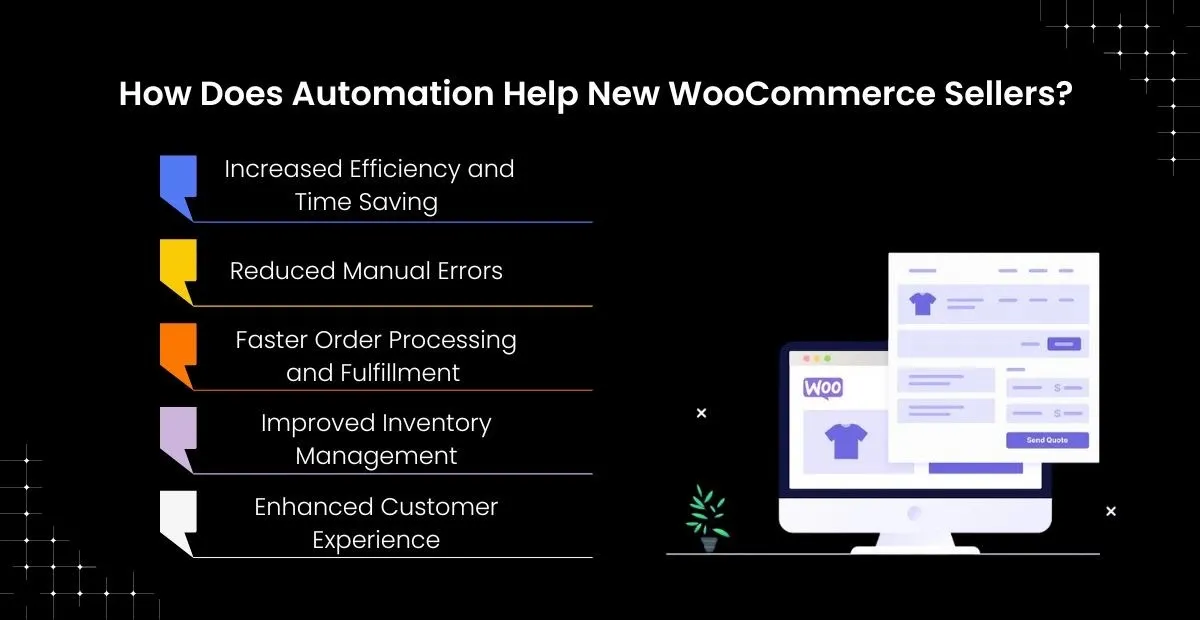
Let’s quickly get to the solution of the challenges mentioned above. Here’s how a simple WooCommerce automation tool will solve all your order fulfillment problems:
Now, sellers need to remember that the automation tool should be an all-rounder and not just a master of one trait. The right WooCommerce automation software allows sellers to automate their order fulfillment process along with inventory synchronization. So, sellers are not bothered with processing and inventory tracking. Their orders will be processed, and stocks will be updated on their own.
Tracking the orders can anytime become a full-time job for the sellers. This is why they need an e-commerce plugin for WooCommerce, which tracks the status of orders and also keeps the customer updated with the same. In this way, sellers will be able to focus on additional tasks and business planning rather than answering consumer queries.
Centralized orders and an inventory management dashboard allow the seller to keep track of customer orders and the availability of stock. So, sellers can manage their supply chain better and also optimize their order fulfillment speed.
E-commerce integration tools also give way to seamless connections with different fulfillment providers. So, sellers do not need to enter the customer data and order details manually for the fulfillment partner to deliver the orders.
When fulfillment is outsourced through the Amazon WooCommerce integration plugin, they can sell globally and deliver across 2000+ pin codes across the globe. Likewise, the automation tool will allow sellers to build rapport with their consumers across the US with Walmart MCS Fulfillment integration.
MapMyChannel by WebBee has all the solutions to the challenges mentioned above, which will solve your problems. Not just that, the marketplace integration application is laden with add-on features that would not just improve the selling but also uplift the customer’s shopping experience. WebBee integration plugin is designed to be the best friend for online sellers. As a beginner in this vast industry, you will definitely require this extension. So, go install and integrate today!
.svg)