

Prime delivery for Amazon MCF 2026: How Shopify sellers can add fast, free delivery for Prime members
WB
WebBee Team
eCommerce Specialists
Amazon announced Prime delivery on September 24, 2026. Businesses using Amazon Multichannel Fulfillment (MCF) can now enable fast, free Prime delivery as a shipping option on their direct-to-consumer(DTC) site.
In this blog, we will cover what Prime delivery is, who benefits most, and how to turn it on in the WebBee ‑ Amazon MCF app.
Prime delivery is a shipping option within Amazon Multichannel Fulfillment (MCF). It lets you offer fast, free delivery for Prime members on your own site, while your checkout, payments, subscriptions, and returns stay with you. There is no added fee to enable it.
Prime delivery varies from Buy with Prime, which manages the full purchase experience —this can include checkout, payments, returns, and customer service through Amazon. Prime delivery works inside your current setup and only adds Prime delivery as an additional shipping option; your checkout, payments, subscriptions, and returns stay with you.
Shopify Basic plan users need to book a meeting with the WebBee Support Team for assistance. Shopify sellers on the Growth plan or higher can follow the steps below:
1. Enable: Turn on Prime delivery in the WebBee ‑ Amazon MCF app.
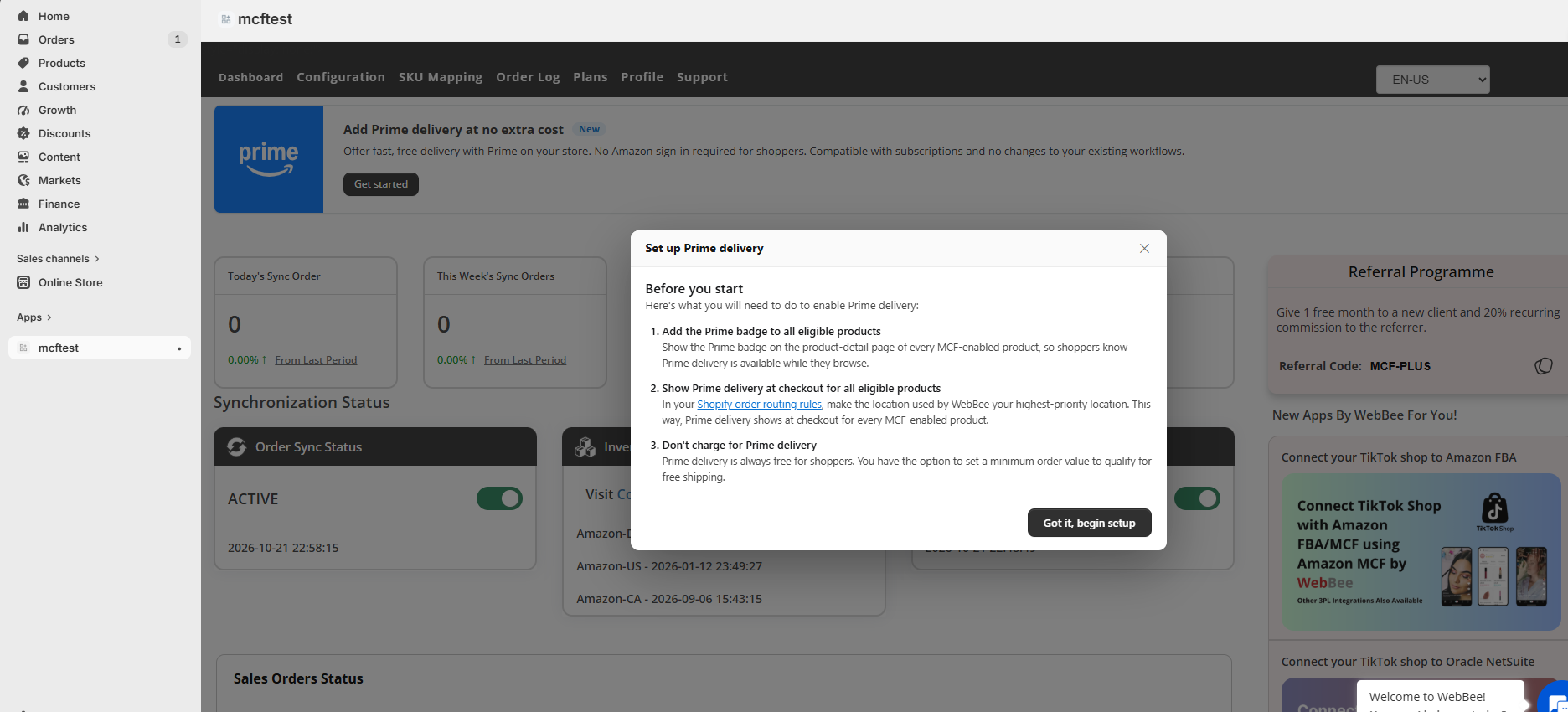
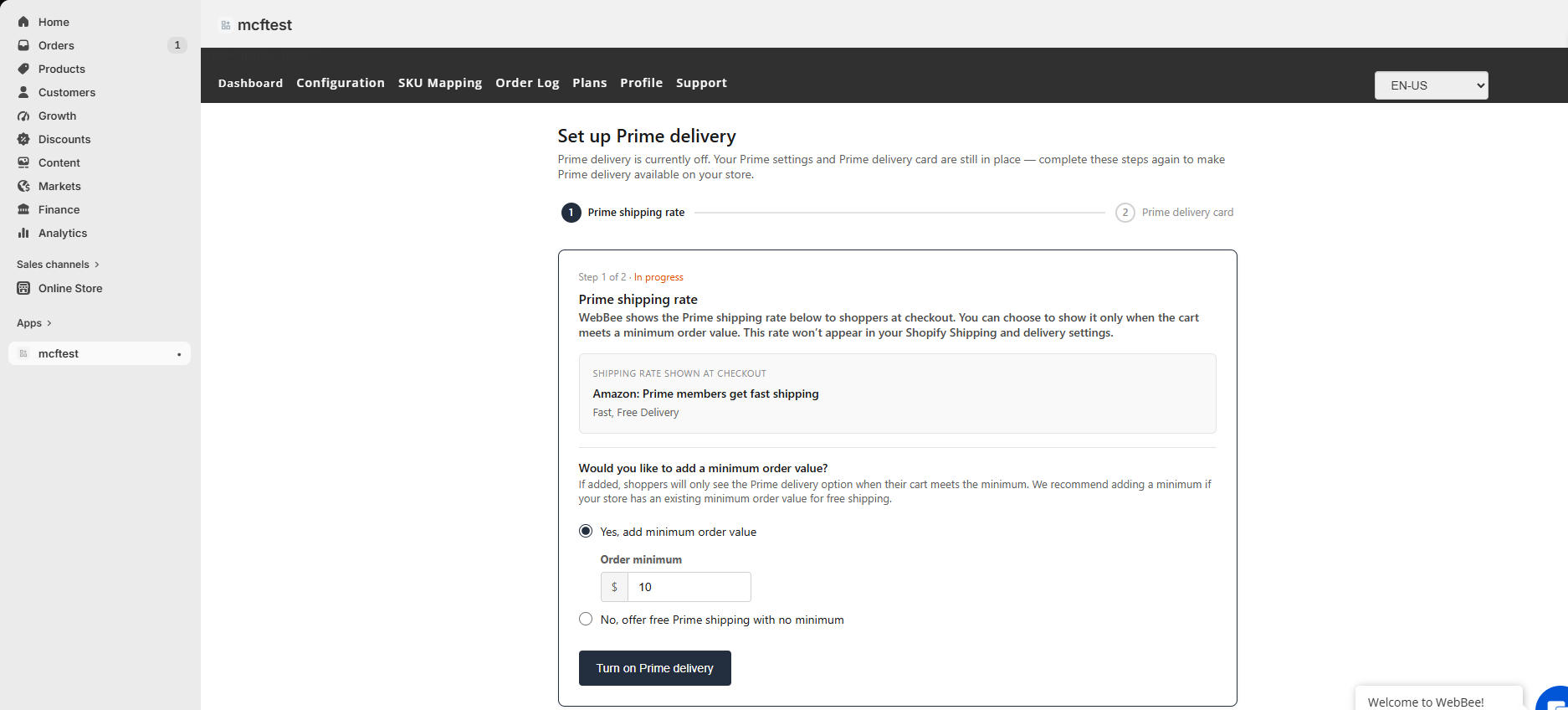
2. Set a free-shipping threshold(optional): If your store offers free shipping above a minimum order value, set that threshold here. The Prime Check logo still appears on product pages, and Prime delivery appears at checkout once the cart meets the threshold.
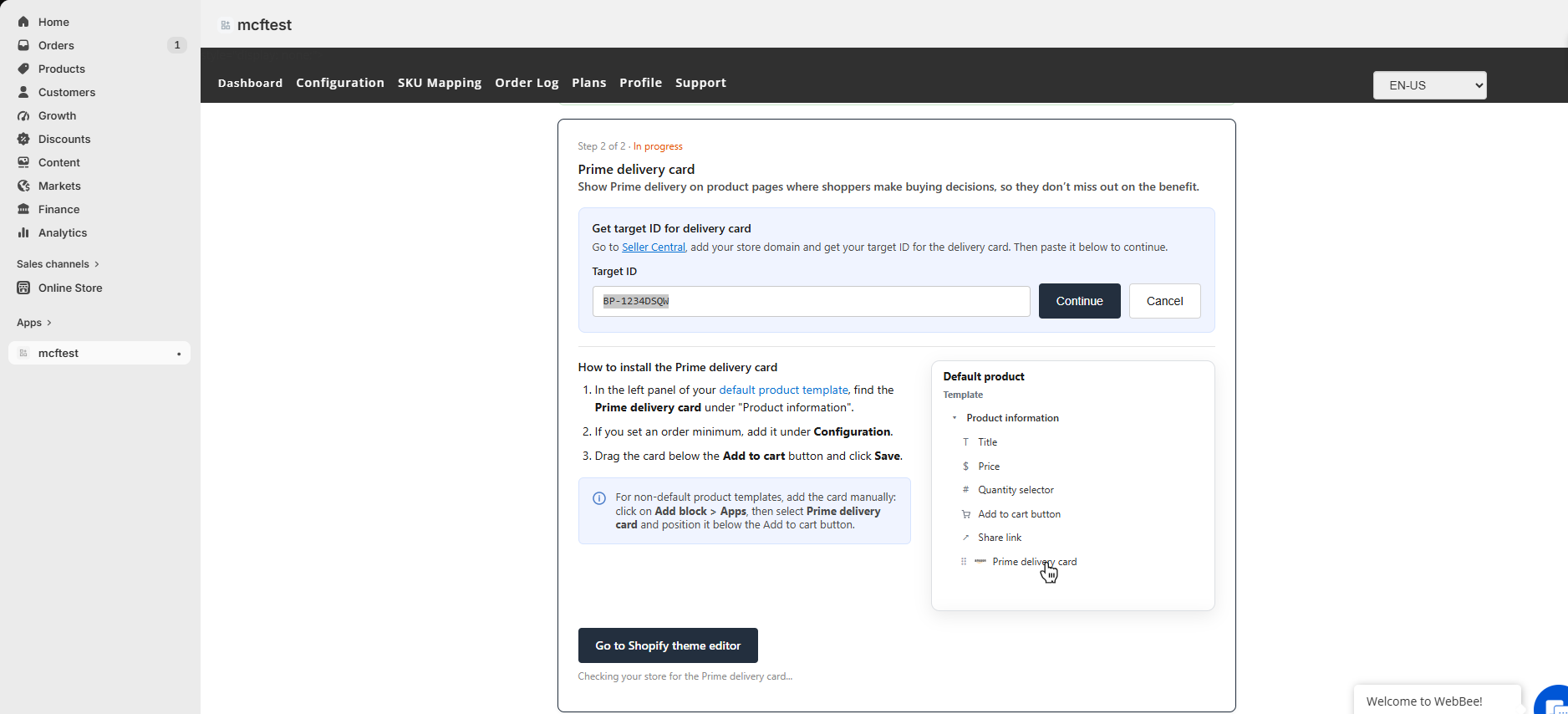
3. Display: Add the Prime Check logo to your product pages, so shoppers see Prime and a delivery estimate while they browse.
4. Check out: Shoppers choose Prime delivery as their shipping option, with no Amazon sign-in or redirect.

5. Fulfill: After the order is placed, Amazon verifies the shopper's Prime membership and ships the order from your inventory in Amazon's fulfillment network, with a 96% on-time delivery rate².
Add the trust of Prime to your ecommerce site, without giving up your checkout experience or paying additional fulfillment fees. Enable Prime delivery before your holiday code freeze so Prime members see the Prime Check logo on your product pages all season.

Shoppers whose Prime membership can't be verified receive a one time complimentary upgrade to Prime speed on their first order, and standard MCF speeds (2–3 business days) on later orders.
There is no added fee to enable Prime delivery. Orders are charged at MCF Standard rates. Storage fees and surcharges apply.
The Prime Check logo appears on eligible product pages together with a delivery estimate. At checkout, shoppers choose "Amazon Prime" as their shipping option.
No, - a business uses one configuration at a time.
Buy with Prime manages the full purchase experience on your behalf—this can include checkout, payments, returns, and customer service through Amazon. Prime delivery adds fast, free Prime shipping only; your checkout, payments, subscriptions, and returns stay with you.
You handle returns and customer service under your own policies.

.svg)